

UI/UX CASE STUDY
Garmin Support Center
As Garmin’s original UX/UI Designer for the Support Center, I led the design from initial user flows through interface design, shaping how customers navigated the new online support experience.
I mapped how customers moved from the Support Center homepage to product-specific pages and organized access to troubleshooting, manuals, software updates, and videos. I collaborated with developers and stakeholders to refine the experience and bring the designs to life, making it easier for customers to find relevant support for their devices.
Understanding the customer behind the support request
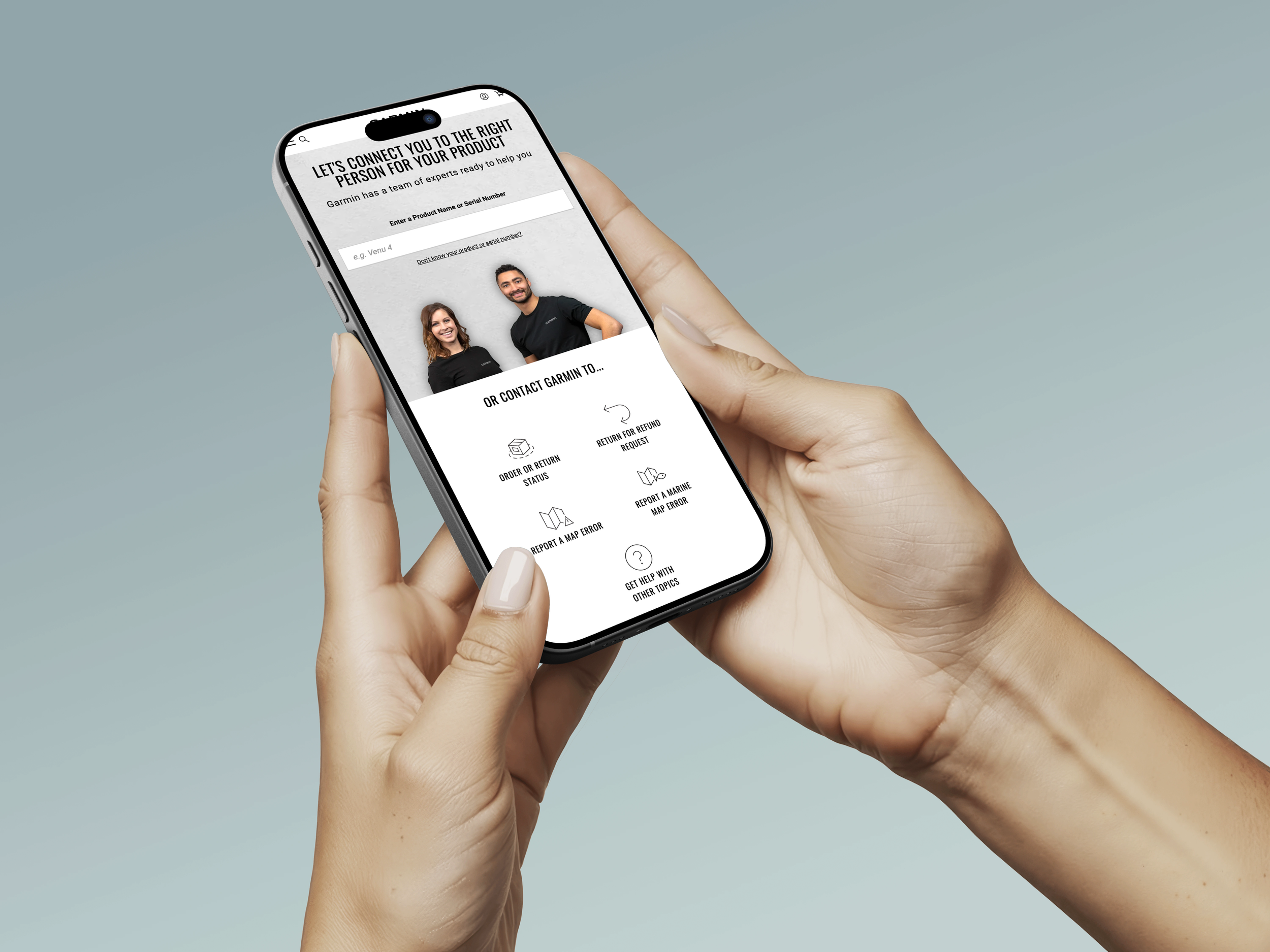
Evolving Garmin Support
Garmin needed to evolve beyond phone and email support to provide a more accessible digital experience. The Support Center helps users troubleshoot issues, find answers, and get the most out of their devices.
Role
Initial UX/UI Designer
Tools
Sketch, Adobe Creative Suite
Plateform
Desktop and mobile web
Support Center
Create a centralized online support platform that helps customers seamlessly move from self-service resources to personalized assistance. The Support Center brought together FAQs, troubleshooting guides, and product manuals, alongside three support channels: phone, chat, and email. This gave customers flexible ways to find answers and resolve issues efficiently.
The Opprotunity
Project
Our goal
Our goal was to help Garmin customers quickly find product-specific answers, access troubleshooting guides, and navigate support resources in one place, reducing the need to call or email support.
The challenge
As a new site, Garmin Support began with a two-week MVP sprint focused on launching quickly. Our goal was to help users find answers fast, resolve issues, and get back to their workouts and devices with minimal friction.
The customer approach we followed
User Story Map
Research Methods
User Interviews: Spoke with customers to understand their frustrations, emotions, and behaviors when troubleshooting device issues.
User Story Mapping: Mapped customer goals, actions, and pain points to identify gaps in the support journey.
Support Journey Analysis: Examined how customers moved between FAQs, pairing instructions, troubleshooting guides, and support channels.
Insight Synthesis: Identified recurring needs and opportunities to improve self-service resources, support agent guidance, and online community assistance.
Roger Smith
The Fitness-Focused Tech User
Alex leads an active, health-conscious lifestyle and relies on his Garmin device to track workouts and monitor progress. When his device stops syncing, he wants a quick, straightforward solution so he can get back to his routine without unnecessary frustration.
“I just want my Venu 2 Garmin to work so I can get back to my workout. Show me how to fix the problem quickly without making it complicated.”
Alex leads an active, health-conscious lifestyle and relies on his Garmin device to track workouts and monitor progress. When his device stops syncing, he wants a quick, straightforward solution so he can get back to his routine without unnecessary frustration.
Primary Need
Quickly troubleshoot device issues through clear, accessible instructions.
Pain Points
Frustrated when device syncing interrupts his workout.
Overwhelmed by complicated troubleshooting steps.
Unsure where to find the right solution.
Design Opportunity
Create an intuitive Support Center with easy-to-follow troubleshooting guides, accessible FAQs, and clear pathways to personalized support.
I mapped the key paths customers could take through the Support Center, from finding answers on their own to connecting with a support specialist.
For straightforward questions, I wanted customers to find answers with as few steps as possible.
User Story Mapping
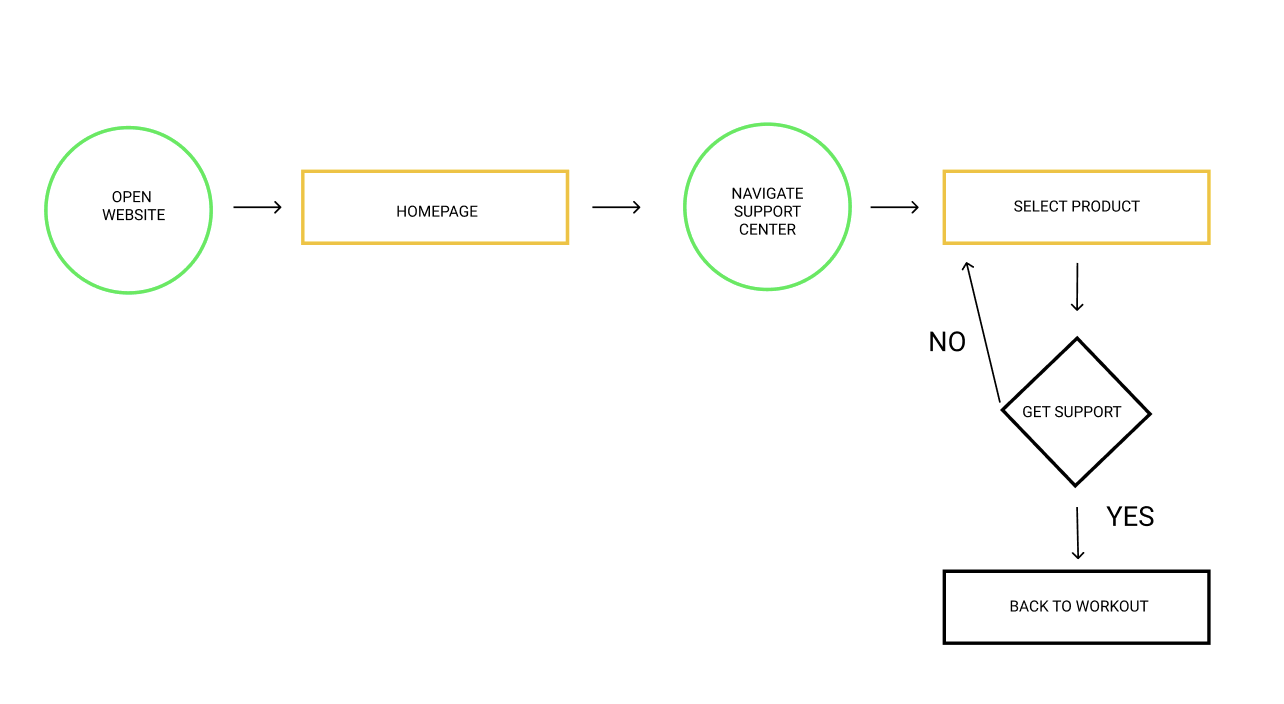
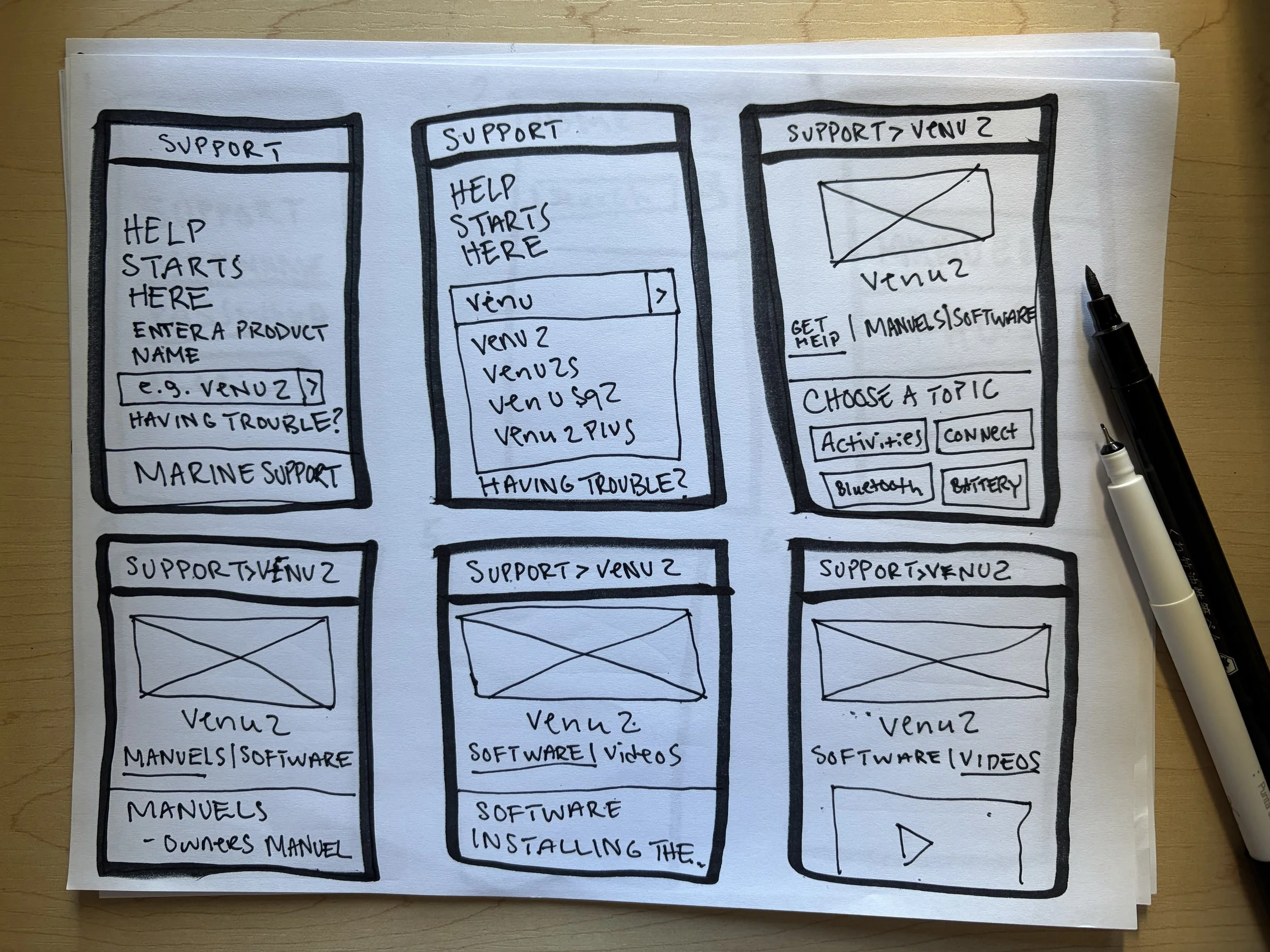
Wireframing & User Flow
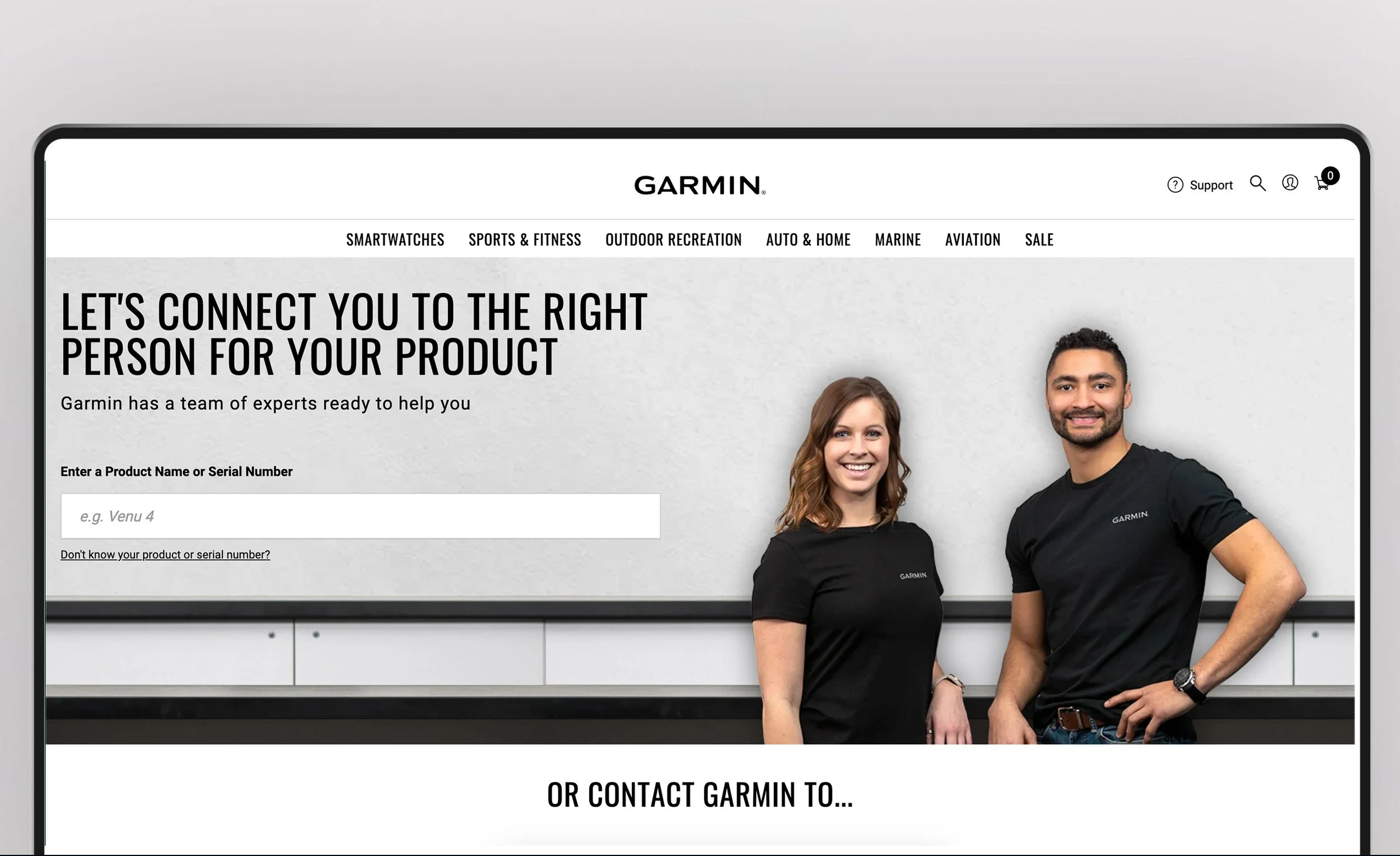
I translated user journey maps and personas into wireframes to explore potential support paths and refine navigation. The experience begins with a main screen featuring the headline “Help Starts Here” and a name input field to guide users into the support experience.
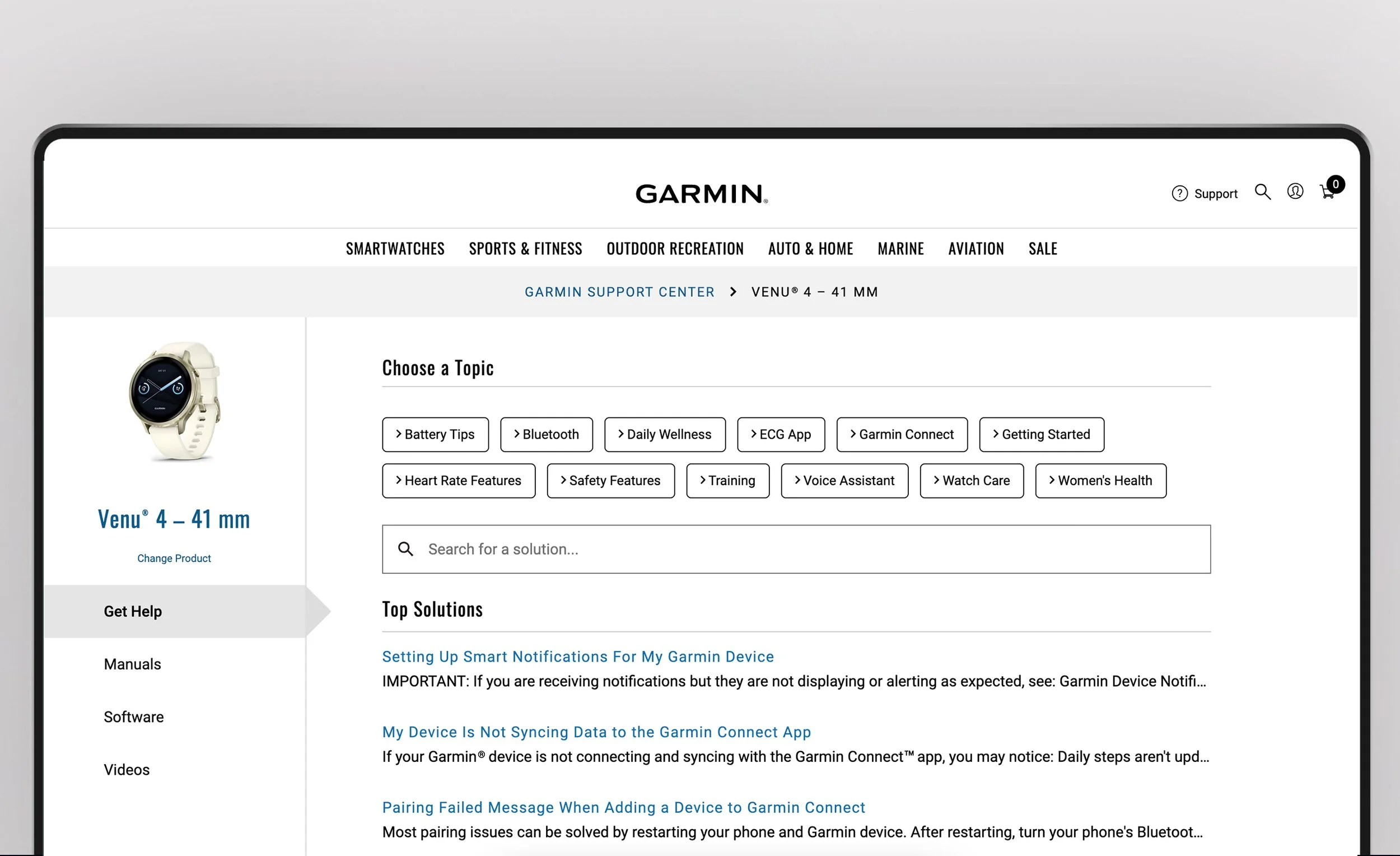
After selecting their product, such as the Venu 2, users land on a dedicated product page where they can switch devices or explore product-specific resources. Four clear navigation tabs, Get Help, Manuals, Software, and Videos, organize support content and help users quickly find the information they need.
The support experience
Get help your way
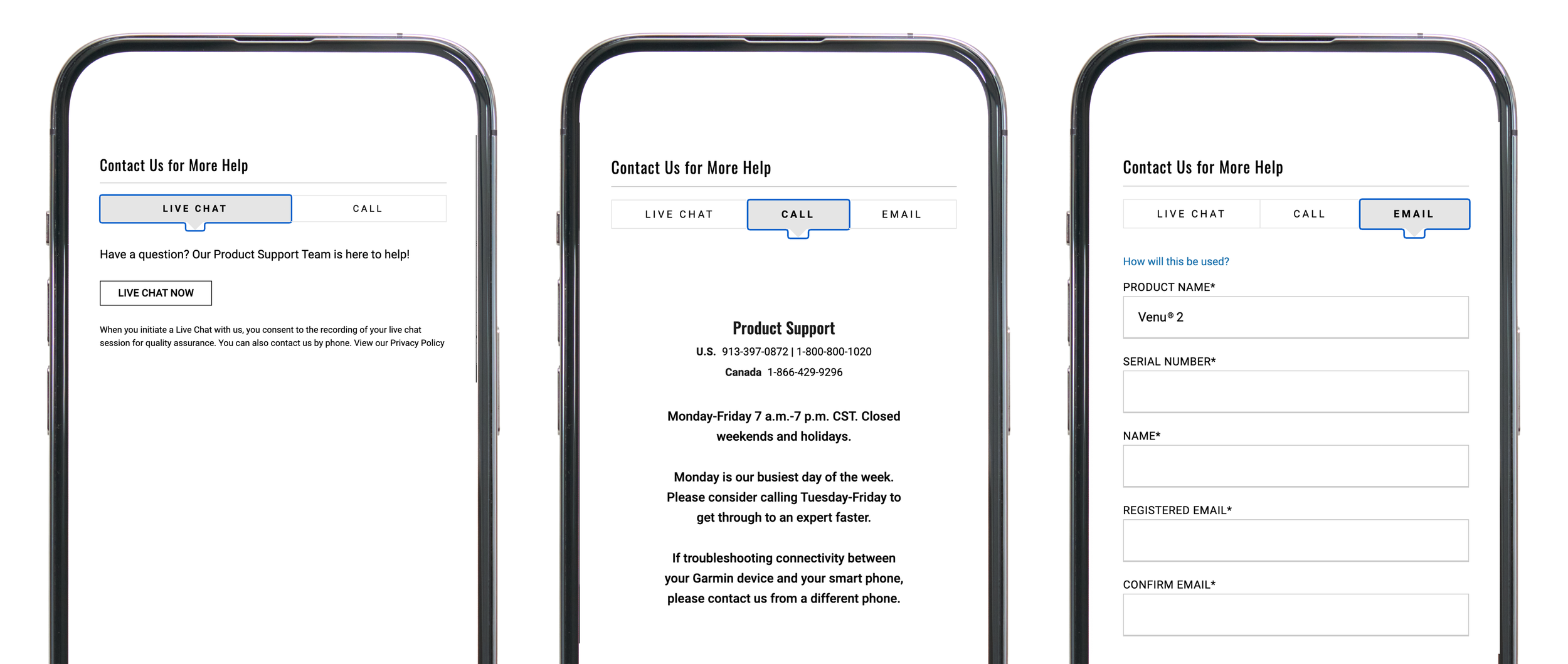
Chat
Get real-time help from a support specialist.
Phone
Connect with Garmin support when a conversation is easier.
Reach out when the issue doesn't require an immediate response.
Results
The Garmin Support Center established a more connected way for customers to get help by bringing self-service, chat, phone, and email into one experience.
My biggest takeaway: great support UX isn't about giving users more information. It's about helping them find the right help at the right moment.